Loading...
Pay Your Crew Without the Sunday Night Spreadsheet
You didn't start a detailing business to reconcile hours in Excel. Payroll pulls from logged time and employee rates so you can pay your team and get back to work.
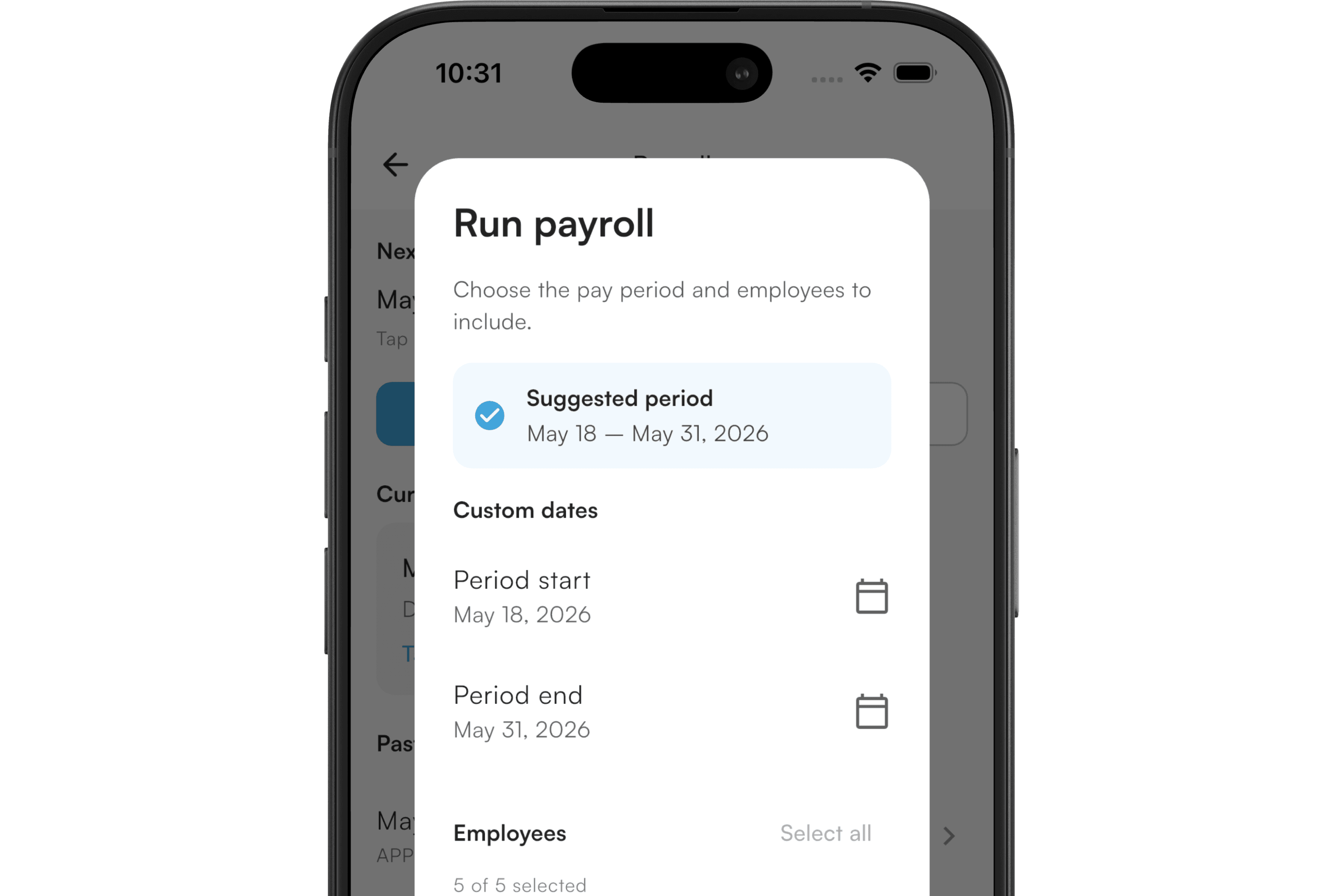
- ✓Pay hourly employees from logged job time, or pay a percentage of the jobs they worked
- ✓Set rates per employee, with a full history when rates change
- ✓Add bonuses or deductions before you finalize a pay run
- ✓Export a run as CSV or PDF for your records
What this proves
Outcomes detailers care about—not a feature dump.
Faster pay runs
Hours are already in the system from time logging—no re-entering from group chats.
Fewer disputes
Job-linked hours give you and your crew a shared source of truth.
Scale with your team
As you add employees, payroll stays in the same app as scheduling and jobs.
Approving a pay period locks its time entries and jobs from further edits, so the numbers you paid from can't change after the fact.
What's enforced
Not optional—here's what payroll holds your team to.
- Two pay types: hourly (from logged time) and job-percentage (a cut of completed jobs)
- Versioned compensation history per employee
- Draft → Reviewed → Approved workflow, with bonus/deduction adjustments before approval
- Approving a pay period locks its time entries and jobs from further edits
- CSV/PDF export
- No per-seat fees for additional employees
How it works
A simple flow from setup to day-to-day use.
1
Set employee rates
Configure an hourly rate or a job-percentage rate when you add employees to your business—rate changes keep a history.
2
Log time through the week
Crew hours accumulate on jobs via time logging as work happens.
3
Review and run payroll
Adjust for bonuses or deductions, approve the run, and export it—approving locks that period's hours and jobs from further edits.
See it in the product
Screens from the DETAILERMADE app and booking experience.
Frequently asked questions
Common questions about payroll.
Related features
Explore more of what DETAILERMADE can do for your shop.
Ready to try Payroll?
Start a free 7-day trial—no card required—and put this feature to work in your detailing business.